How to Download Instagram Messages and Save Them as a PDF
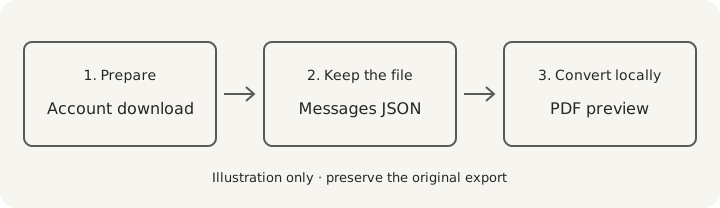
Instagram's account information tool can give you a copy of your messages for reading outside the app. Request JSON, download the archive, then turn a conversation into a PDF with convokeep. This route does not recover deleted or unsent DMs: it can only use information that Instagram includes in the download.
What you get
The download is a zip that can contain several conversations. Inside a thread, files such as message_1.json hold message text, participants and timestamps. Long conversations may have additional numbered files; attachments can be in nearby folders. HTML is another account-download option, but choose JSON for this conversion workflow.
Some simple viewers display accented letters or emoji incorrectly because of how Meta text encoding is interpreted. Check those characters and participant names in preview. The PDF can then be searched, limited to a date range, redacted and renamed. Its first 3 pages are free to preview with a watermark and no integrity page; full export is paid.
Step-by-step export
- iPhone or Android: open Instagram settings, then Accounts Center → Your information and permissions → Download your information (needs verification: wording varies by account). Newer settings may call this Export your information and ask you to create an export.
- Select your Instagram profile. Choose the specific information category Messages, set the date range, and request JSON. Choose the option to download or export to your device (needs verification: exact current selection labels).
- Computer: you can use Instagram's web settings for the same account-download route. Requesting and downloading on the computer avoids transferring a large archive from the phone later.
- Wait for the readiness notification. Return to the download area through your account and save the zip before the displayed expiry. Preparation is not always immediate, so check request status before submitting repeated requests.
- Saved the file on your phone? Move it to your computer. Copy the zip over USB, or use email or a cloud drive you trust. Keep the untouched download as your source copy.
- Select the zip or a thread's JSON file in convokeep. Check the intended conversation and date coverage. Do not assume message_1.json alone covers a long thread with several numbered parts.
What if the download is missing messages?
First check the requested profile, category and date range. Then compare the archive's thread files rather than searching only one JSON part. Deleted information may be absent even if Meta temporarily retains it for security reasons. Meta's download guidance explains that limitation and the request process.
Continue with Instagram DM to PDF for conversion. For a different Meta profile, use Facebook Messenger to PDF and verify that the request selects Facebook messages.
Privacy
convokeep builds the preview and PDF entirely in your browser. No chat or attachment is uploaded. No convokeep account is needed. Cookieless events exclude message text, participant names and file names. Read the privacy policy.
Email, cloud drives and separate exporters have their own data handling. For a local file transfer, use a cable. convokeep's browser-only promise covers conversion.
Keepsake vs Record
Keepsake uses a book-style layout for memories and printing. Record adds page numbers and an integrity page alongside sender and time information. That page contains the source SHA-256, transcript SHA-256, counts and generation time in UTC. The finished PDF's hash is supplied separately.
A matching hash lets you check unchanged bytes against a trusted earlier value. It does not prove the source conversation is authentic or complete. Read the disclaimer and the integrity-hash explanation.
FAQ
- Can I recover deleted messages this way?
- No. The download does not recover deleted or unsent messages that Instagram excludes, and convokeep cannot reconstruct missing message content.
- How long does the download take?
- Preparation time varies with your request and account. It may be quick or take days; Meta says the notification can take up to 30 days. Check the request status in your account.
- Can I request it on a PC?
- Yes. Use Instagram web settings to reach the account information controls, request Messages as JSON and download the resulting archive to your computer.
- Can I save one chat as a PDF?
- Yes. Work with one conversation and check its dates in the preview. A multi-thread archive or a thread with numbered parts needs extra care to avoid missing history.
Ready to try it?
Drop your exported chat to see a free preview on the convokeep app. The first 3 pages appear with a watermark and no integrity page; saving the full PDF is a one-time paid purchase.
This document was generated locally in the user's browser; no content was uploaded.
Prepared for submission, with an integrity hash. Not legal advice. Whether it is accepted is decided by the court or agency.
This document was generated locally in the user's browser; no content was uploaded.