Telegram Chat to PDF, Right in Your Browser
Telegram exports your conversation; convokeep turns the export into a dated, searchable PDF. Use a file from Telegram Desktop, then drop it on the convokeep app for a free preview. There is no need to paste messages into a document or take screenshots of a long group conversation.
What you get
The PDF puts messages in order with their sender and time. You can search, pick a date range, redact a message and rename participants before saving. Private chats, groups and channels can be converted when their history is available in the Desktop export. The first 3 pages appear free with a watermark and no integrity page; the full export is paid.
Treat the preview as a check on the source you selected. Confirm the conversation name, the earliest day and several senders before downloading. If old messages are missing from the export, changing the PDF layout cannot recover them. Keep the export folder as your source copy even after you have a PDF to read.
Step-by-step export
- Windows, Mac or Linux: open the conversation in Telegram Desktop, open its three-dot menu and choose Export chat history. Use the Desktop client that offers this feature rather than assuming every Telegram app has the same menus.
- Choose Machine-readable JSON (needs verification: exact current label), or HTML. Review the date range. Include photos and other media if you need the original files; leave them unchecked for a smaller text-focused export.
- Pick a destination folder and start the export. JSON commonly produces result.json. An HTML export has message pages, possibly alongside media folders. Keep those files together; you can zip the folder for conversion.
- iPhone or Android: use Desktop to create this export. If you only have access to a phone, arrange access to your own computer before starting the PDF workflow.
- Saved the file on your phone? Move it to your computer. Transfer the downloaded export over USB, email or a cloud drive, then select result.json, the HTML export or its zip in convokeep.
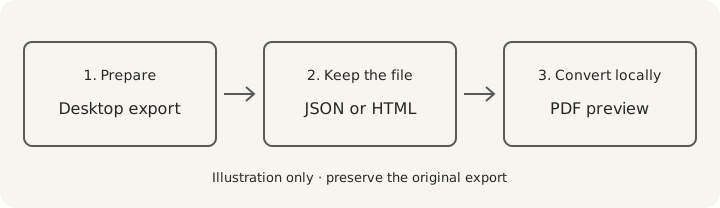
Telegram's export announcement documents JSON, HTML and optional media, including the per-chat export menu. Including media in the archive does not promise that every photo, sticker or recording will be embedded in the PDF. Keep the originals separately and inspect their representation in preview. See how to export a Telegram chat for the file-finding steps.
Privacy
convokeep builds the preview and PDF entirely in your browser. No chat or attachment is uploaded. No convokeep account is needed. Cookieless events exclude message text, participant names and file names. Read the privacy policy.
Email, cloud drives and separate exporters have their own data handling. For a local file transfer, use a cable. convokeep's browser-only promise covers conversion.
Keepsake vs Record
Keepsake uses a book-style layout for memories and printing. Record adds page numbers and an integrity page alongside sender and time information. That page contains the source SHA-256, transcript SHA-256, counts and generation time in UTC. The finished PDF's hash is supplied separately.
A matching hash lets you check unchanged bytes against a trusted earlier value. It does not prove the source conversation is authentic or complete. Read the disclaimer and the integrity-hash explanation.
FAQ
- Should I choose JSON or HTML?
- JSON is the simpler starting point for conversion. Telegram Desktop can also export HTML; keep the original folder if it has several pages or media.
- Can I convert groups and channels?
- Yes, when Telegram Desktop lets you export that conversation. Work with one conversation at a time and check its dates in the preview.
- Can I export directly from my phone?
- Use Telegram Desktop for the chat-history export described here. The mobile apps do not provide this Desktop export workflow.
- Is anything uploaded during conversion?
- No. convokeep reads the file, hashes it and renders the PDF in your browser, without a convokeep account.
Ready to try it?
Drop your exported chat to see a free preview on the convokeep app. The first 3 pages appear with a watermark and no integrity page; saving the full PDF is a one-time paid purchase.
This document was generated locally in the user's browser; no content was uploaded.
Prepared for submission, with an integrity hash. Not legal advice. Whether it is accepted is decided by the court or agency.
This document was generated locally in the user's browser; no content was uploaded.