How to Export a LINE Chat on iPhone, Android and PC
A LINE text export gives you a readable copy of messages without taking screenshots. The phone and desktop apps can save a .txt file, but the history available on each device may differ. Start with the device holding the messages you need, then check the file before converting it with convokeep.
What you get
The text file contains dates, senders and message text. Media is represented by labels rather than original photos, sticker artwork or recordings. It is a reading copy, not a backup that can restore a LINE account. Keep your ordinary account backup if moving chats to another phone is also part of your plan.
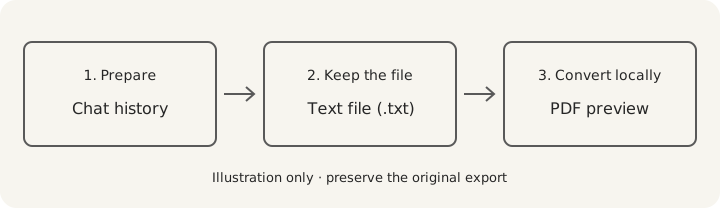
After export, convokeep can turn a compatible file into a dated, searchable PDF. You can select a period, redact individual messages and rename participants. Check the free preview of the first 3 pages, shown with a watermark and no integrity page, before paying for the full PDF.
Step-by-step export
- iPhone: open the conversation and its top menu, then choose Settings → Export chat history. Use the share sheet to save the .txt to Files or another destination you control.
- Android: open the chat menu and settings, then choose Export chat history. Save or share the .txt using an available file destination. The Japanese route may read トーク設定 → トーク履歴を送信 (needs verification); Korean wording may include 대화 내보내기 (needs verification).
- Windows or Mac: open the conversation in the desktop app, open the top chat menu and select Save chat. Choose a folder you can find again. Desktop saves only messages currently displayed in the chat, so inspect its beginning before treating it as a complete history.
- Saved the file on your phone? Move it to your computer. Copy it over USB, or send it through email or a trusted cloud drive. Download the .txt itself rather than copying its text into an email body.
- Keep the original, then select a copy in convokeep. Compare the first and last dates with the period you expected. Check a group conversation for several different senders before choosing your PDF range.
If the email never arrives
Check the destination address, spam folder and whether the message actually has an attachment. Try saving to the phone's file storage and transferring by cable instead. Repeating an email does not extend the history available on the device. LINE's help page explains text backups and the desktop-history limitation.
Use LINE chat to PDF for the conversion walkthrough. If you are saving another messenger too, Telegram's export guide explains why its desktop JSON or HTML files should be kept separate.
Privacy
convokeep builds the preview and PDF entirely in your browser. No chat or attachment is uploaded. No convokeep account is needed. Cookieless events exclude message text, participant names and file names. Read the privacy policy.
Email, cloud drives and separate exporters have their own data handling. For a local file transfer, use a cable. convokeep's browser-only promise covers conversion.
Keepsake vs Record
Keepsake uses a book-style layout for memories and printing. Record adds page numbers and an integrity page alongside sender and time information. That page contains the source SHA-256, transcript SHA-256, counts and generation time in UTC. The finished PDF's hash is supplied separately.
A matching hash lets you check unchanged bytes against a trusted earlier value. It does not prove the source conversation is authentic or complete. Read the disclaimer and the integrity-hash explanation.
FAQ
- Does exporting notify the other person?
- Export is not known to notify other participants. This has not been verified for every client version, so check your version if notification is a concern.
- Is there a size limit?
- This guide does not promise a fixed message limit. Device history and available storage affect what is saved; desktop saves only messages currently shown in the chat.
- Will I get the original photos and stickers?
- A .txt export contains text and media labels, not the original media collection. Save important attachments separately.
- How do I make a PDF from the text file?
- Open the LINE conversion guide, select your .txt in convokeep, check the free preview, then choose a layout before saving the paid full PDF.
Ready to try it?
Drop your exported chat to see a free preview on the convokeep app. The first 3 pages appear with a watermark and no integrity page; saving the full PDF is a one-time paid purchase.
This document was generated locally in the user's browser; no content was uploaded.
Prepared for submission, with an integrity hash. Not legal advice. Whether it is accepted is decided by the court or agency.
This document was generated locally in the user's browser; no content was uploaded.