Turn your chat export into a PDF for submission. Keep the original untouched.

Prepare a PDF for a dispute or report: keep surrounding messages, hide third parties, and include a fingerprint to compare with your export. Your original stays untouched. No chat or attachment is uploaded.

Start ↗

Free preview · $9 USD for 24 hours · $19 USD Lifetime license

No chat file, message or attachment is uploaded. It all stays on your device.

Raw export, AI chat or ConvoKeep?

Raw exportAI chatConvoKeep
Messages shown as in your fileYes, it is the file itselfThe answer is newly generated textYes, copied from your file
Anyone can check it against the originalOnly by reading the whole fileNothing in the answer lets others confirm itThe PDF lists your file’s SHA-256
A 30,000-message chatOne long text fileOver a million tokens: may have to be cut into parts and joined by handOpened whole in your browser
Page and message numbers, hidden third partiesNoOnly if you ask; the layout depends on your requestYes, in a fixed format; names are hidden only if you choose
Where your text goesStays on your deviceSent to the service you paste it intoStays in your browser
Voice notesA placeholder line; audio only in some exportsPasted text carries no audioA labelled line; optional on-device transcript
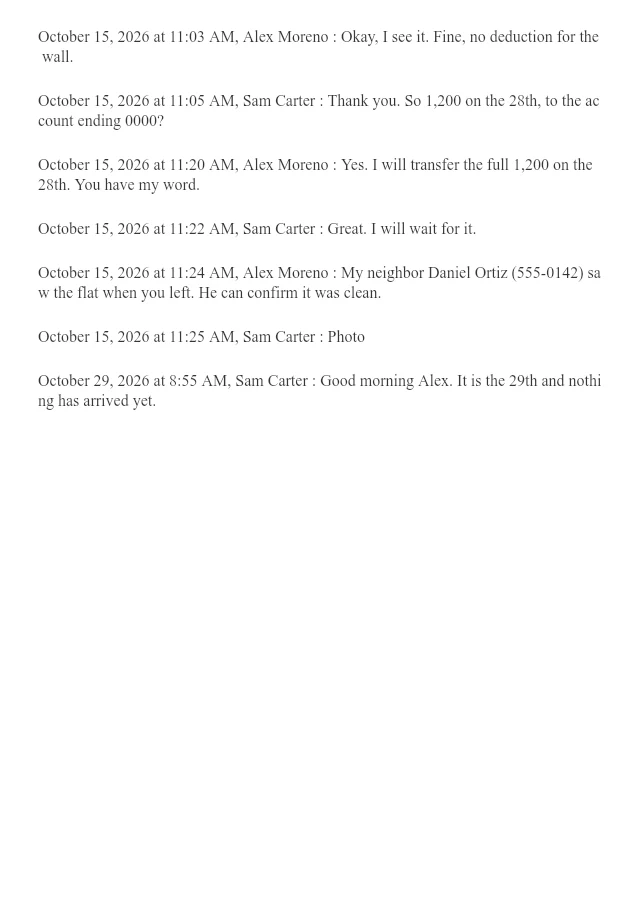
Printed .txt excerpt
Synthetic raw export: the same seven messages with context and a photo placeholder, without PDF page or message numbers or redaction.
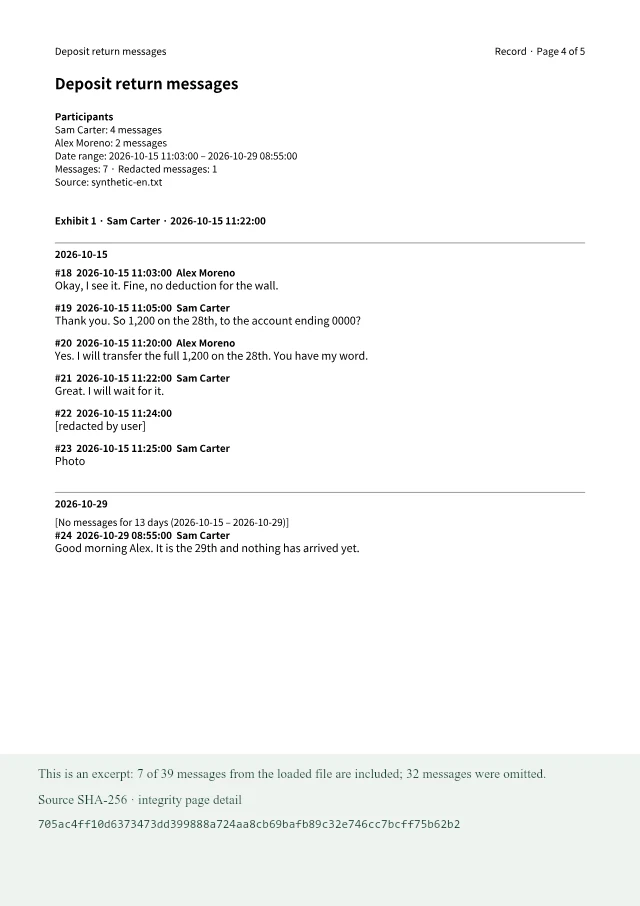
ConvoKeep Record PDF
Synthetic paid Record excerpt: numbered page and messages, surrounding context, redaction marker, omitted count and source fingerprint detail.

Synthetic paid-version example. Both sides show the same seven messages, including surrounding context; export formats vary. The Record side combines the actual PDF page with omission and integrity details.

See it in action

See it in action

Short silent clips of the real app with a made-up conversation. Pick a feature to see it.
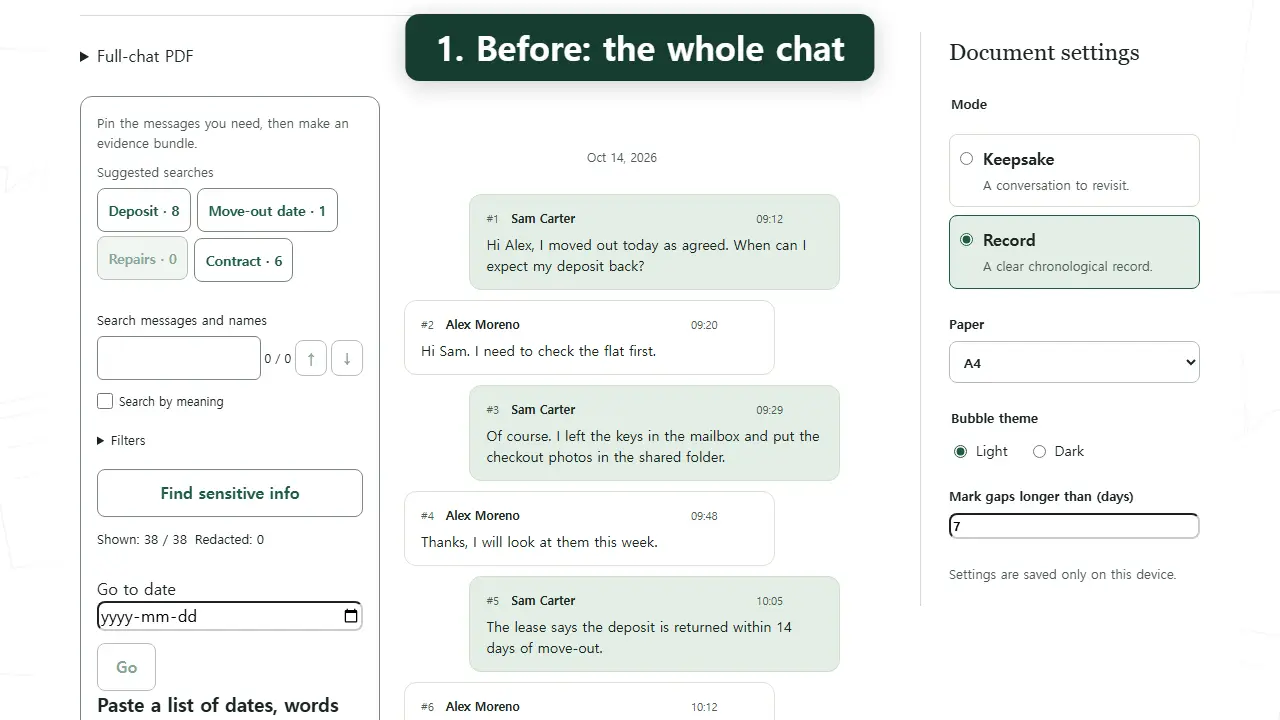
Find what matters
Step 1 of 3

Paid version

  1. 1. Before: the whole chat
  2. 2. Search, then narrow the dates
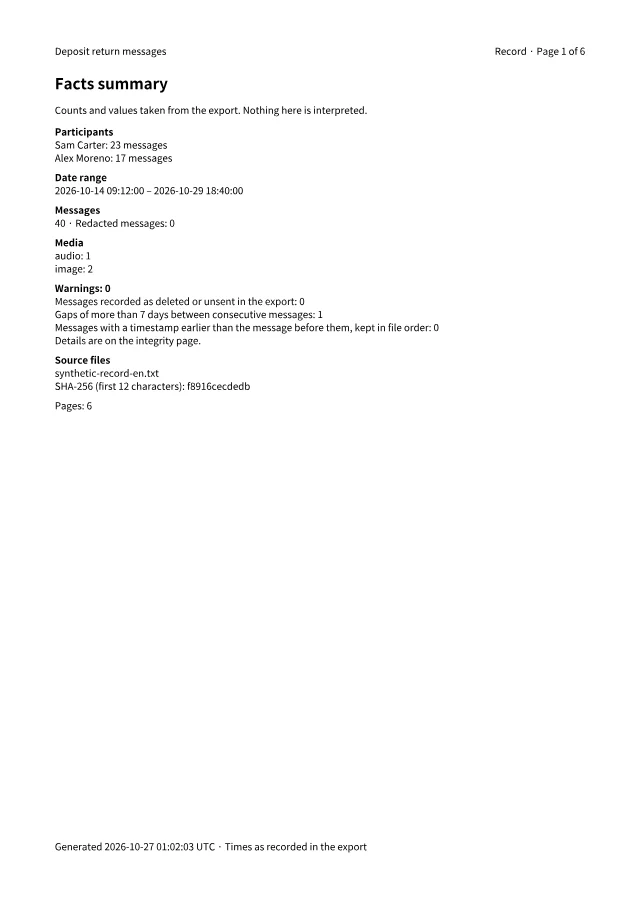
  3. 3. After: a PDF of just the key messages

What the record shows, and what it does not.

You can tell if it changed

The PDF carries a fingerprint (SHA-256) of your original file and of the text. If even one character changes later, /verify shows it.

What it cannot prove

A fingerprint cannot show that a chat is genuine or that nothing is missing. Keep your original file.

Nothing is uploaded

Your chat and attachments never leave your device. Check for yourself: open the page, turn off the internet, then make a PDF.

Prepared for submission; acceptance is decided by the court or agency. Not legal advice.

Start with the conversation you need to organize

Preview first. Keep it when you’re ready.

One-time purchase. No subscription. Choose your pass when you export your own chat.

Day Pass: unlimited PDFs for 24 hours. Lifetime license: keep the version you have, plus 1 year of updates (up to 3 devices).
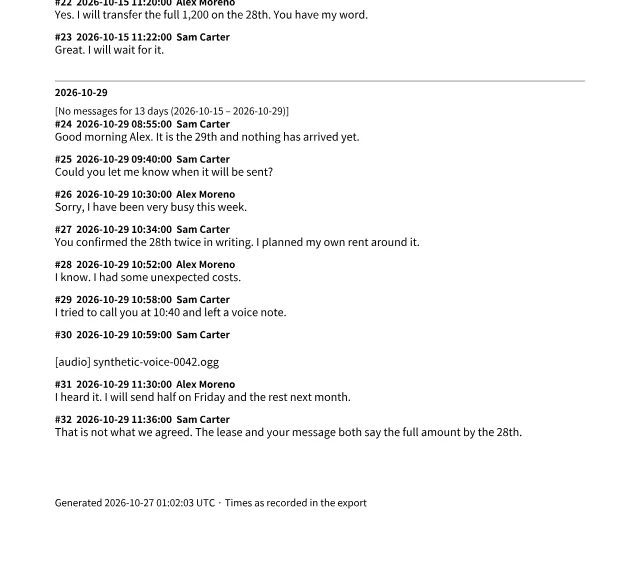
Synthetic raw export: the same seven messages with context and a photo placeholder, without PDF page or message numbers or redaction.Synthetic paid Record excerpt: numbered page and messages, surrounding context, redaction marker, omitted count and source fingerprint detail.RecordVoice notes stay accounted for

Free preview · first 3 pages with a watermark

Prices in USD. Your bank or the checkout may show your local currency.The free preview lets you check the result first. Your right of withdrawal ends only where we informed you and you agreed before the download. Brazil: you can request a refund within 7 days of purchase, no questions asked, even after download. Refunds follow Polar's policy and our terms. This does not limit any rights you have under applicable consumer law. A Lifetime license key works on up to 3 browsers/devices; a Day Pass works on any number of devices for its 24 hours. Purchases are for adults (18+). Terms and refunds

A few things you might be wondering.

License FAQ and help
Isn’t the export file enough?
Often, yes. For a small uncontested case, the export or screenshots may be enough. ConvoKeep helps with long conversations, selected passages with context, third-party privacy and numbered references. Keep the original export.
Does this prove the chat is real?
No. The integrity page records fingerprints of the file you loaded and the rendered transcript so changes can be checked. It cannot establish authenticity, completeness or what happened before export. Keep the original device and file. A court or agency decides what it accepts.
Where does my chat go?
Nowhere. Your browser reads the export and builds the PDF on your device. No message or attachment is uploaded. No messenger login or account is needed.
Why not just paste it into an AI chat?
You can, and for a short chat an AI may copy the messages correctly. Two things differ. Long exports may not fit: a two-year, 30,000-message chat is over a million tokens, more than some AI chats accept in one go, so it may have to be cut into parts and the answers joined by hand. And an AI answer is new text with no way for another person to check it against your original file. ConvoKeep works in your browser, never uploads your file, and prints the messages from the file itself with their dates and a SHA-256 fingerprint of the original.
Which chat exports can I use?
Use an exported file from WhatsApp, KakaoTalk, LINE, Telegram, Instagram, Facebook Messenger or iMessage. The guides below explain the export formats.
Can I preview before paying?
Yes. The free preview shows the first 3 pages with a watermark. Saving the full PDF requires a one-time purchase. A Lifetime license key works on up to 3 browsers/devices; a Day Pass works on any number of devices for its 24 hours.
Can I remove private messages?
Yes. Select a date range, rename participants and redact individual messages before creating your PDF. Redacted text is removed from the PDF.
Are right-to-left scripts (RTL) supported?
No. Right-to-left scripts such as Arabic and Hebrew are not currently supported.
How can I check that nothing is uploaded?
Airplane-mode test: open the page once, turn off the internet, make the PDF — it still works, because no chat or attachment is uploaded. Keep the tab open; reloading or reopening the page offline is not supported. First visit and offline preparation, payment, license activation/revalidation and optional AI features need a connection; let preparation finish before disconnecting.

A little help getting started.

Preview for free, then choose a pass. Enable JavaScript to open a file and use checkout.